

New
Version 2.0 is officially live
Future of sound
Slogan: Live By The Sea

Blog
Om Skivbolaget –
Moments You Won’t Miss


Positivity from 25K+ global trends









Features Overview
Everything You Need for the High-Low Results
Make everyday operations more efficient with smart automation that simplifies routine tasks.
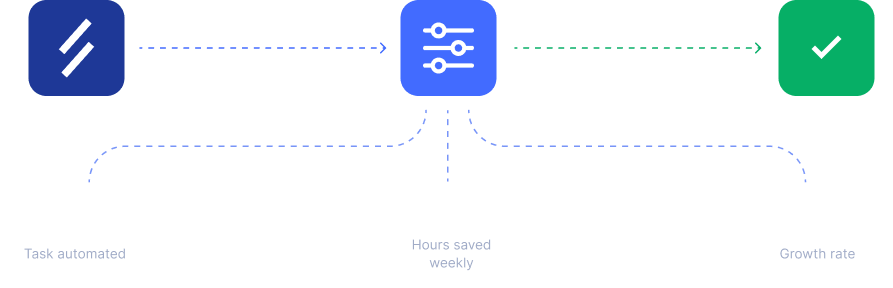
Automated Workflows – Save Hours Weekly
Make everyday operations more efficient with smart automation that simplifies routine tasks, enhances workflows.
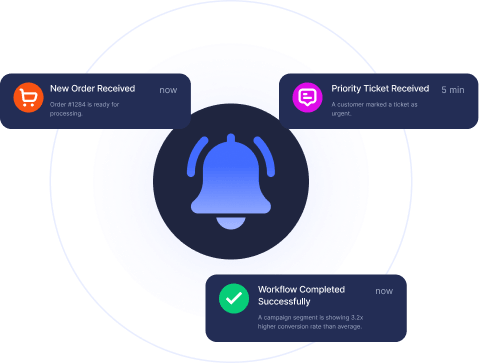
Smart Alerts – Stay Instantly Informed
Manage your finances with our easy-to-use budgeting tools routine tasks, enhances workflows.
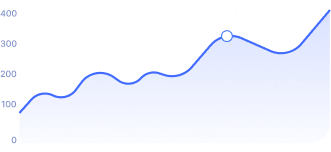
Real-Time Insights – Track & Optimize Performance
Manage your finances with our easy-to-use budgeting tools.
Seamless Integrations – Connect All Tools
Manage your finances with our easy-to-use budgeting tools.
Fast Onboarding – Start in Minutes
Manage your finances with our easy-to-use budgeting tools.
FeatureD BY ARTISTS
Everything You Need, Streamlined into One Easy Workflow
Make everyday operations more efficient with smart automation that simplifies routine tasks, enhances workflows.

Scalability & Flexibility
Lorem ipsum dolor sit amet, consectetur adipiscing elit, sed do eiusmod tempor incididunt ut labore et dolore.

Smart Alerts & Notifications
Lorem ipsum dolor sit amet, consectetur adipiscing elit, sed do eiusmod tempor incididunt ut labore et dolore.

Seamless Integration
Lorem ipsum dolor sit amet, consectetur adipiscing elit, sed do eiusmod tempor incididunt ut labore et dolore.

Workflow Automation
Lorem ipsum dolor sit amet, consectetur adipiscing elit, sed do eiusmod tempor incididunt ut labore et dolore.

AI-Powered Insights
Lorem ipsum dolor sit amet, consectetur adipiscing elit, sed do eiusmod tempor incididunt ut labore et dolore.

Advanced Analytics
Lorem ipsum dolor sit amet, consectetur adipiscing elit, sed do eiusmod tempor incididunt ut labore et dolore.
Testimonials
Why Customers Love Our Platform

This platform completely changed how we manage marketing campaigns across multiple clients. Tasks that once took hours are now streamlined into a single system. Reporting, tracking, and collaboration are much faster and more organized.

Defspin Records
CEO, Pilot
We saw a clear boost in conversions within weeks of using this SaaS platform. Automation tools reduced repetitive work, while CRM features improved customer management. Our team saved time and gained better control over performance.

Daniel Brooks
CEO, Brook Ventures
The workflow system is highly intuitive and flexible, making it easy for our team to adapt quickly. It improved communication, alignment, and project tracking, helping us deliver work faster with fewer delays and much better coordination.

Emily Jonson
CEO, Meetra Tech
Onboarding new employees used to take days, but this platform reduced it to just hours. Automated workflows simplified HR processes, improved consistency, and significantly reduced manual workload for our team across every stage.

Michael Roberts
CEO, GrowthPilot
Our support response time improved significantly after adopting this system. Smart ticket routing and alerts ensure no request is missed. It increased efficiency, reduced delays, and greatly improved overall customer satisfaction levels.

Jessica Lee
CEO, Lee Industries
This SaaS platform is essential for growing teams that need to scale efficiently. It is powerful yet simple, helping us reduce manual tasks, improve productivity, and maintain a structured workflow that adapts to business growth.

John Doe
Founder, Doe Technology
FAQ
Helpful Answers Before You Get Started
Find answers to the most common questions about features, pricing, and integrations.
Full Site Editing in WordPress allows users to create and edit their website more efficiently and with more control. It enables users to create unique and custom designs without needing to have advanced coding skills.
Full Site Editing in WordPress refers to a feature that allows users to create and edit their website’s entire layout, including the header, footer, and other structural elements, using a visual editor.
To enable Full Site Editing in WordPress, you need to ensure that you are using a compatible WordPress theme that supports Full Site Editing. You will also need to install the latest version of WordPress and enable the Gutenberg editor.
Full Site Editing in WordPress refers to a feature that allows users to create and edit their website’s entire layout, including the header, footer, and other structural elements, using a visual editor.
To enable Full Site Editing in WordPress, you need to ensure that you are using a compatible WordPress theme that supports Full Site Editing. You will also need to install the latest version of WordPress and enable the Gutenberg editor.
To enable Full Site Editing in WordPress, you need to ensure that you are using a compatible WordPress theme that supports Full Site Editing. You will also need to install the latest version of WordPress and enable the Gutenberg editor.
Some popular WordPress themes that support Full Site Editing include the SaasLauncher, HomeLancer, WoxStore and may other Theme. These themes have built-in support for Full Site Editing, allowing users to create custom designs without needing to know how to code.
Full Site Editing in WordPress refers to a feature that allows users to create and edit their website’s entire layout, including the header, footer, and other structural elements, using a visual editor.
Skicka in demo
Get started without limits. Explore all features at your own pace — upgrade only when your business grows.